
Geofencing Advertising, Location by Location
Geofencing advertising for a multi-location operator is a per-location targeting choice, not a separate channel: start with plain radius targeting, add fences around specific places that hold the right people, stay away from sensitive places, and judge every fence in new clients per location from the booking system.
Geofencing advertising shows ads to phones inside a boundary drawn around a specific place, such as your own club, a competitor's salon or a busy office park, and for a multi-location operator it works best as a targeting choice made location by location. Plain Meta and Google radius targeting around each location should carry most of the budget, and a geofence earns its place only where one specific place holds the people you want, stays clear of sensitive places, and can be judged in new clients per location counted in your booking or membership system.
That last point matters most when a vendor is pitching you, because many geofencing proposals arrive with "foot traffic" or "store visit" reports built from the vendor's own location data, and those reports rarely tie to the joins, first visits or booked appointments your front desk records. This guide is for the marketing lead at a grooming, fitness or wellness brand with several locations who needs to decide when a fence beats ordinary radius targeting, which places to fence, and how to count whether it worked.
What is geofencing advertising, and how is it different from radius targeting?
Geofencing advertising is a form of location based advertising that targets mobile devices, through apps with location services turned on, when they enter or exit a boundary drawn around one place, and it's usually bought through a programmatic display vendor rather than inside Meta or Google. Radius targeting, the simpler form of location based targeting, draws a wider circle around an address or zip code in Meta or Google Ads and reaches people who live in or recently visited that area, which matches how far most clients travel for an appointment.
The platforms also limit how small a target can be. Google Ads Help states that "Radius targeting requires setting a radius of at least 1 km around any given location," and warns that with a small radius or small targeted location, "your ads might only show intermittently or not at all."
When does a geofence beat plain Meta and Google radius targeting?
For most physical locations, a well-built radius campaign already does the job better than a fence, because it reaches the neighborhood around each club or salon, uses the platforms' own audience data, and reports results you can compare against your booking system, while a fence narrows the geographic area to specific locations that a potential customer passes through in the real world. Geofence advertising becomes worth a test only when a specific place concentrates the right audience more tightly than the neighborhood does:
- Dense metros: when a downtown radius covers far more people than a location can serve, a fence around nearby office towers or apartment blocks focuses the budget on people who pass the door every day.
- Competitor clusters: when two or three competitor clubs or salons sit within a short drive of one of your locations, a fence around them reaches people who already pay for the service.
- Events: a race, a wedding expo or a campus move-in weekend gathers your audience in one place for a short time.
- New or soft locations: a new site needs its first clients quickly, and our guide on how to market a new location opening covers the radius campaign that should come first.
If none of these apply, the budget does more inside the existing radius campaigns.
Which places should each location fence?
Choose fences in three groups, one location at a time, and keep the list short enough that each fence can deliver. The table is written so the owner or CFO can read it on its own.
| Fence type | Example | Who you reach | Use it when | Watch out for |
|---|---|---|---|---|
| Your own location | The block around your club, salon or barbershop | Recent visitors and lapsed clients | You want past clients back or recent visitors to book | It mostly reaches people who know you, so count new clients, not repeat visits |
| Competitor clubs or salons | Two or three competitor sites near one location | People who already pay for the service | A location sits in a competitor cluster | Small fences may not deliver; never make claims about the competitor |
| Complementary venues | Office parks, apartment blocks, campuses, events | People whose routine fits your hours | A location has open capacity at set times, such as lunch | Broad venues blur into a radius; keep one reason per fence |
| Sensitive places | Clinics, pharmacies, places of worship, shelters | Not a target | Never | Out of bounds for ad targeting and a privacy risk |
Each fence should belong to one location, with creative that names that location and its intro offer. For the wider plan each fence sits inside, see our guide to multi location marketing.
What are the privacy and platform limits on geofence marketing?
Geofence marketing depends on precise location data from phones, and regulators treat that data as sensitive. In its 2024 order against X-Mode Social and Outlogic, the Federal Trade Commission said the data broker's location data "could be used to track people's visits to sensitive locations such as medical and reproductive health clinics." Any vendor you hire should explain where its location data comes from, how consent was collected, and which places it excludes.
The platforms add their own rules. Google's policy on restricted targeting in personalized advertising says that "there are restrictions to how you can use targeting when promoting within certain categories," and it lists health among them, so a wellness brand should keep its fences around fitness, grooming and lifestyle places.
Client and booking data stays in your booking system. We count booked appointments and new members there and report them next to spend; we don't send client lists or visit records to Meta, Google or a geofencing vendor. If a vendor asks for your client list, check with your counsel or compliance lead before you agree.
How do you set up geofencing ads per location?
Set up geofencing ads the same way you set up any campaign for a multi-location brand, with one location, one budget and one scoreboard:
- Pick a test and a control: choose one location with a clear reason for a fence, and a similar location with no fence as the control.
- Draw two or three fences: keep them close to the test location, tie each one to a single reason, and ask the vendor to exclude your own staff's devices where it can.
- Write location-specific creative: speak to the target audience at that fence, name the location, show your own staff and space, and state the intro offer the front desk will honor.
- Send clicks to the location page: the page should carry that location's booking link, hours and reviews.
- Fund it by capacity: set the budget against the open appointment times or class spots that location can fill, not against a vendor's minimum.
Geofencing marketing also works better when the organic side of each location is in order, because people who see the ad often search your name next; our guide to local seo for multiple locations covers Google Business Profile, reviews and location pages.
How do you count whether geofencing advertising worked?
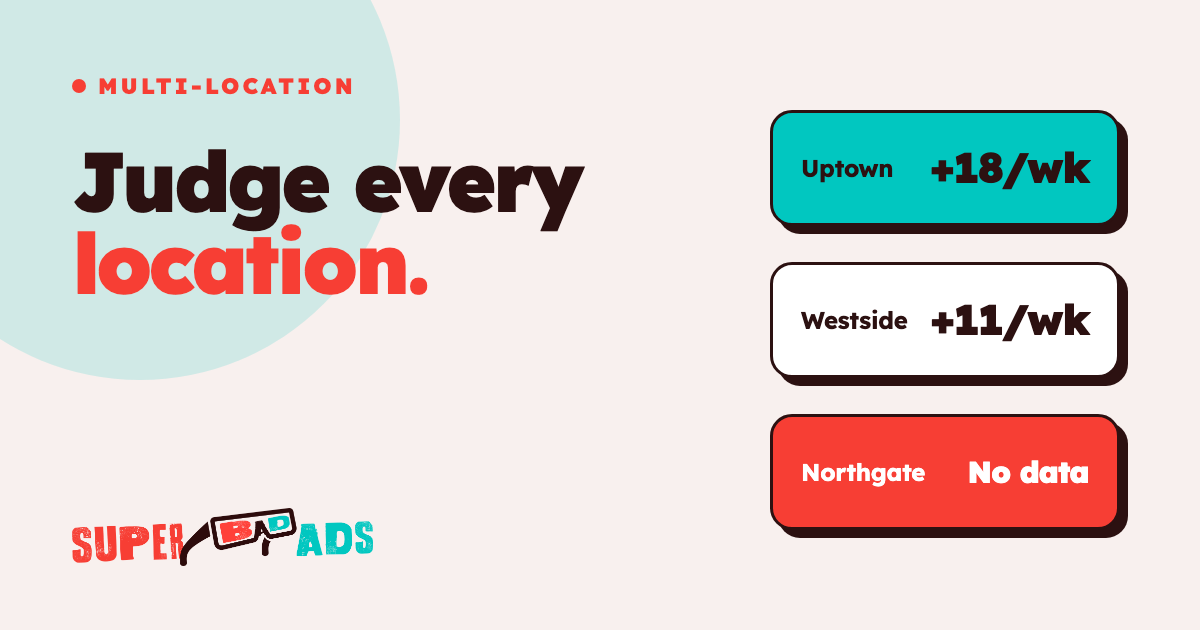
Count geofencing advertising in new clients per location per week, taken from your booking or membership system, and compare the test location against its control. If new clients at the test location rise while the control stays flat, the fence is earning its budget; if both move together, the change probably came from the season, a promotion or the rest of your paid media.
Vendor "foot traffic" reports measure something different, because they estimate how many phones that saw an ad were later seen near your location, a count that includes current clients, staff and people walking past. The gap between platform reports and booking records affects every channel, and our guide on why your booking system and ad platform disagree explains how to report the stricter number.
Per-location counting is the habit that makes any targeting test fair. For an 8-location California fitness operator, locations with per-location attribution went from 0 of 8 to 8 of 8, and cost per lead fell 25% by month 3.
Where to start
Super Bad Ads is the paid media partner for multi-location operators, including grooming, fitness and wellness brands. We run Meta and Google for every location and report new clients per location every week, counted in your booking or membership system, not in the ad platform, and stricter than the platform numbers. See how our paid media agency work runs before you sign a separate geofencing contract.
Start with the radius campaigns you already run, and make sure each location has its own budget, creative and weekly count. Then choose one location with a clear reason for a fence, set a matched control, and judge the test in the booking system. Store-based brands can pair a fence with the plays in our retail marketing strategies guide.
FAQ
What is the difference between geofencing and geotargeting?
The difference between geofencing and geotargeting is the size and purpose of the area. Geotargeting reaches people in a city, postcode or radius around an address, usually inside Meta or Google Ads. Geofencing draws a tight boundary around one specific place, such as a competitor club, to reach the people who were there.
Can a gym run geofencing ads around a competitor's club?
A gym can run geofencing ads around a competitor's club, as long as the vendor's data is collected with consent and the ads make no claims about the competitor. Keep the fence close to one of your own locations, name that location in the creative, and judge the test in new members per club.
What size should a geofence be for a local business?
The right geofence size for a local business should match one place and one reason, such as a single office park or a competitor cluster. Fences that are too small may not deliver, and Google Ads requires a radius of at least 1 km, so check delivery in the first weeks before adding fences.
How do you measure geofencing advertising results?
You measure geofencing advertising results in new clients per location per week, counted in the booking or membership system, at a test location against a matched control. Vendor foot traffic and store visit reports count phones near your door, including current clients and passers-by, so use them only as a delivery check.
Fence the place, count the clients
Geofencing advertising can help a location in a dense metro, a competitor cluster or a slow first year, but only as a test on top of strong radius campaigns, with fences kept away from sensitive places and results counted in the booking system. For help running paid media for every location, counted in your booking system, Get Started.
Find out what your ad spend actually books.
We instrument the whole funnel — lead to booked to showed to revenue — and buy media against the number that matters. No calendar invites, no sales-call bait. Just the build.
Get Started →