
Local SEO for Multiple Locations: How to Rank Every Address
Local SEO for multiple locations isn't one strategy copied ten times. Each address competes in its own map pack. Here's how operators set up profiles, location pages, and reviews so every location can rank, and how to tell which ones do.
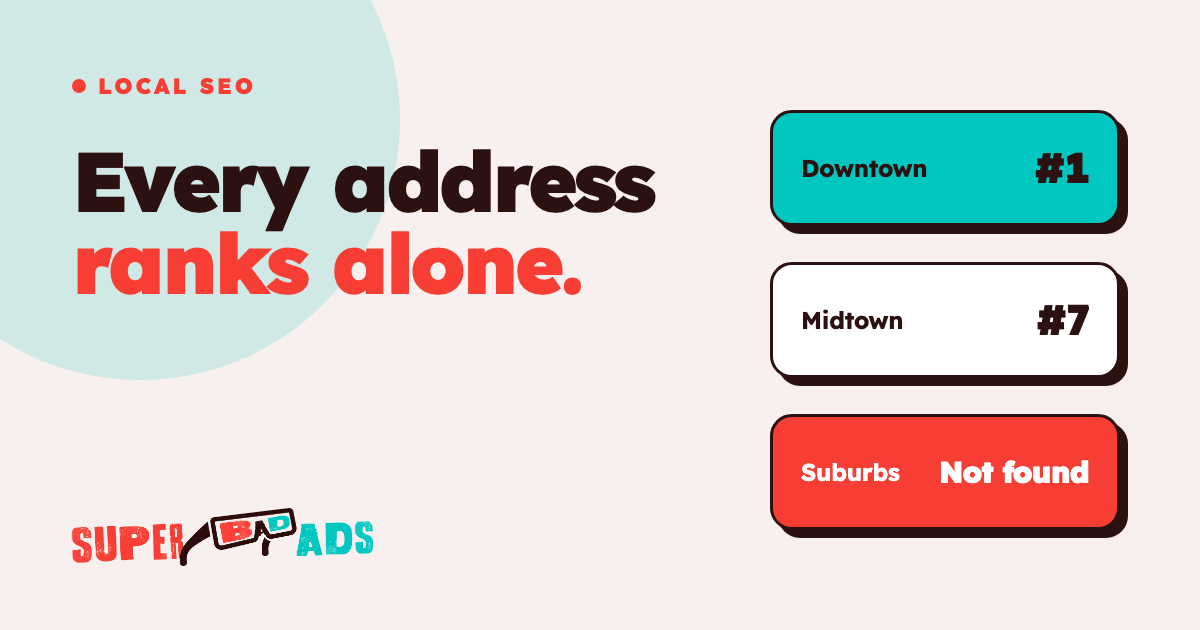
Local SEO for multiple locations means every address competes on its own. Google ranks your Tulsa studio against the gyms near Tulsa, not against your brand. You must treat every facility as a standalone entity in search.
So you need one verified Google Business Profile per location and one real location page per address. You need reviews flowing into each profile. Then you measure rankings and bookings location by location. A blended number hides the locations that lose money.
That is the short answer. The rest of this post covers how to do local seo for multiple locations without creating ten copies of the same weak page. The same playbook works as local seo for franchises. Each franchisee's address must rank on its own in the local market.
Why Local SEO Is Different When You Have More Than One Location
Multi-location seo is not single-location SEO repeated. A single-location business has one map pack to win. Multi location businesses have as many map packs as addresses. Each one has different competitors, different search volume, and a different review count.
That changes three things:
- Rankings are per address. Your flagship clinic can sit in the top three while a newer location remains invisible two miles away.
- Brand searches mislead you. People searching your name find you anyway. The searches that grow a business location are "med spa near me" and "pilates studio [neighborhood]". Google decides those address by address.
- Duplicate content hurts. Ten location pages with the same text and a swapped city name give Google no reason to rank any of them.
You need a strong online presence for every door you open. If you treat your locations like a single entity, the local businesses in each city will beat you. They are more specific. They are more relevant to the local user.
Step 1: One Google Business Profile Per Location, Owned by You
The Google Business Profile drives most local search results. Managing a google business profile for multiple locations is the core of the job. This profile determines your map placement.
For each address:
- Verify the profile under a business account you control. Do not use an agency login. Do not use a former employee email. Business owners must retain primary ownership.
- Use the same business name format everywhere. Add the location name only if it appears on your real-world signage.
- Pick the most specific primary category. Use "Pilates studio" instead of "Gym". Add secondary categories that match the services each location offers.
- Set the website link to that location's own page, not the homepage. Add UTM tags so your analytics platform attributes visits to the correct facility.
- Keep hours, holiday hours, and business information current. A wrong hour on a holiday equals a lost customer and a bad review.
We go deeper on profile setup in our Google Business Profile guide for multi-location operators.
Step 2: Build Location Pages That Earn Their Rank
Each location needs its own page on your website. It must describe that specific place. Good location pages seo starts with unique content.
Write a local landing page that includes:
| Element | Description | |---|---| | Contact Information | The address and phone number matching the profile exactly. | | Local Content | Description of the specific neighborhood or the facility features. | | Staff Profiles | Photos and bios of the people working at this address. | | Reviews | Customer reviews specifically for this location. | | Directions | Parking notes and landmarks a real customer would want. |
Write the first paragraph so it answers the search directly. State what you offer, where you are, and how to book. This helps with Google and with AI assistants, which pull short, direct answers. A clear, fast page also gives mobile visitors a better user experience.
If you cannot write five unique sentences about a location, the page lacks depth. Avoid duplicating text across pages. Never rely on keyword stuffing to fill space. Provide high quality details about the specific clinic or studio.
Step 3: Reviews Per Location, Every Week
Review count and recency move map rankings. They also move potential customers. Treat customer reviews as an operating process, not a campaign.
Ask every customer after the visit. Send an automated text from your CRM with a direct link to that location profile. Responding to reviews within a few days helps you build trust with potential customers. Reply as the location manager.
Watch for a location where the review pace drops. A drop in reviews often signals a front-desk operational issue. High review volume helps you stay in the local packs. This is where the top three google maps results appear.
Step 4: Citations and Consistency Across Business Listings
Your name, address, and phone number should match across the web. This creates nap consistency. Mismatched listings split your ranking signals.
Fix the major directories first. Then fix the ones specific to your category. Treat each local listing as part of that location's storefront. These business listings act as proof for Google. They confirm your business exists where you say it does.
If you use call tracking, configure it correctly. Use the tracking number as the primary on the profile. Keep the main number listed as an additional phone. That way your listings stay consistent and you still see which calls came from search.
Step 5: Creating Locally Relevant Content
Google wants to see that you participate in the local market. You can prove this without writing a blog post for every city.
Mention a local event you sponsor, and share it on social media. Link to other local businesses you partner with. This makes your page locally relevant. It proves you operate a real facility, not a corporate template.
You can also include:
- Photos of the specific interior layout.
- Video tours of that individual location.
- Lists of nearby transit stops or parking garages.
Set up a simple routine so every new address gets its own local content.
Step 6: Use Schema Markup for Each Address
Schema markup is code that tells search engines exactly what your data means. Multi-location businesses need this structured data on every location page. It links your location page to your Google Business Profile.
Use the "LocalBusiness" or "ProfessionalService" schema. Include the specific address and phone number for that spot. This reduces the chance of Google mixing up your locations. It makes your individual locations clearer to the algorithm.
Step 7: Measure Per Location, Not in Aggregate
This is where most programs for local seo for multiple locations fall apart. The report shows organic traffic increasing for the brand. But nobody can say which locations grew.
Track these metrics for each address:
- Map pack position for five to ten local searches. Check them from that location's area.
- Profile actions: calls, direction requests, and website clicks.
- Booked appointments from organic search. Tie these back to the location in your booking system.
The last one is the number that matters. It requires a working measurement layer. Use UTM-tagged profile links and call tracking. Feed your scheduling software into your CRM.
That is the same wiring that makes paid media accountable per location. SEO and paid ads should report into the same view. You need to see the full cost of a booked customer at each address.
Common Mistakes With Multi-Location SEO
- One page for every location. This is the most common mistake. A "Locations" page with a list of addresses cannot rank for ten cities.
- Agency-owned profiles. If you do not own the Google Business Profile, you do not own your rankings.
- Chasing brand terms. Ranking for your own name feels good but generates zero incremental growth.
- Ignoring the weak locations. A weak local seo strategy ignores the lowest-performing clinics. The newest location usually has the most room to grow.
- Broken tracking. If you cannot see which location produced a lead, you cannot manage the budget.
When you run local seo for multiple locations, skip any metric that does not lead to booked appointments. For example, does BBB accreditation help SEO? Not as much as a verified profile and fresh reviews. Focus on the map first.
Local SEO for Multi-Location FAQ
How do I manage multiple Google Business Profiles?
Use one Google account you own and put your locations in a Business Profile group. You can then manage permissions for the whole group. You can see insights for all individual locations in one dashboard. Then give every address its own verified profile, linked to its own local landing page.
Should each location have its own domain?
No. Keep all locations on one main domain. Use a subfolder structure like /locations/city-name/. This allows every location to benefit from the authority of your main site. One domain is easier to manage, and it builds a stronger online presence over time.
How do I handle locations in the same city?
Give each location a distinct name based on its neighborhood. Create unique content for each page. Show the staff and the services at that exact address. Google will rank the one closest to the person searching in the local packs.
Does paid media help my local SEO?
Ads do not directly change organic rankings. But they do increase your brand's footprint in the local market. When people see your ads, they are more likely to click your organic listing later.
Where to Start This Week
Pick your three lowest-performing locations. Check three things for each one. Is the profile verified and owned by you? Does it link to a real location page? Did reviews come in during the last 30 days?
Fixing those three things moves more bookings than any new tactic. Mastering local seo for multiple locations means fixing your measurement layer first.
Plan where you advertise locally with your rankings in view. Do not pay for clicks you would win for free. Focus your ad spend where your organic presence is weak.
Build the per-location view so you can see which addresses win search and which fail. Connect your CRM to your ad platforms, measure what produces customers, and get started.
Find out what your ad spend actually books.
We instrument the whole funnel — lead to booked to showed to revenue — and buy media against the number that matters. No calendar invites, no sales-call bait. Just the build.
Get Started →